
Conference livestreams
Remote speakers over Zoom, hybrid sessions, and stage laptops that need a dedicated uplink instead of venue Wi‑Fi.
Starlink Rental · Ships Nationwide
A complete Starlink Mini kit for $350 per week, shipped to your door. No technician, no Starlink account: open the tripod, plug it in, follow the app, and you are online in about 10 minutes. Same kits we ran for SiriusXM at the Army–Navy Game.
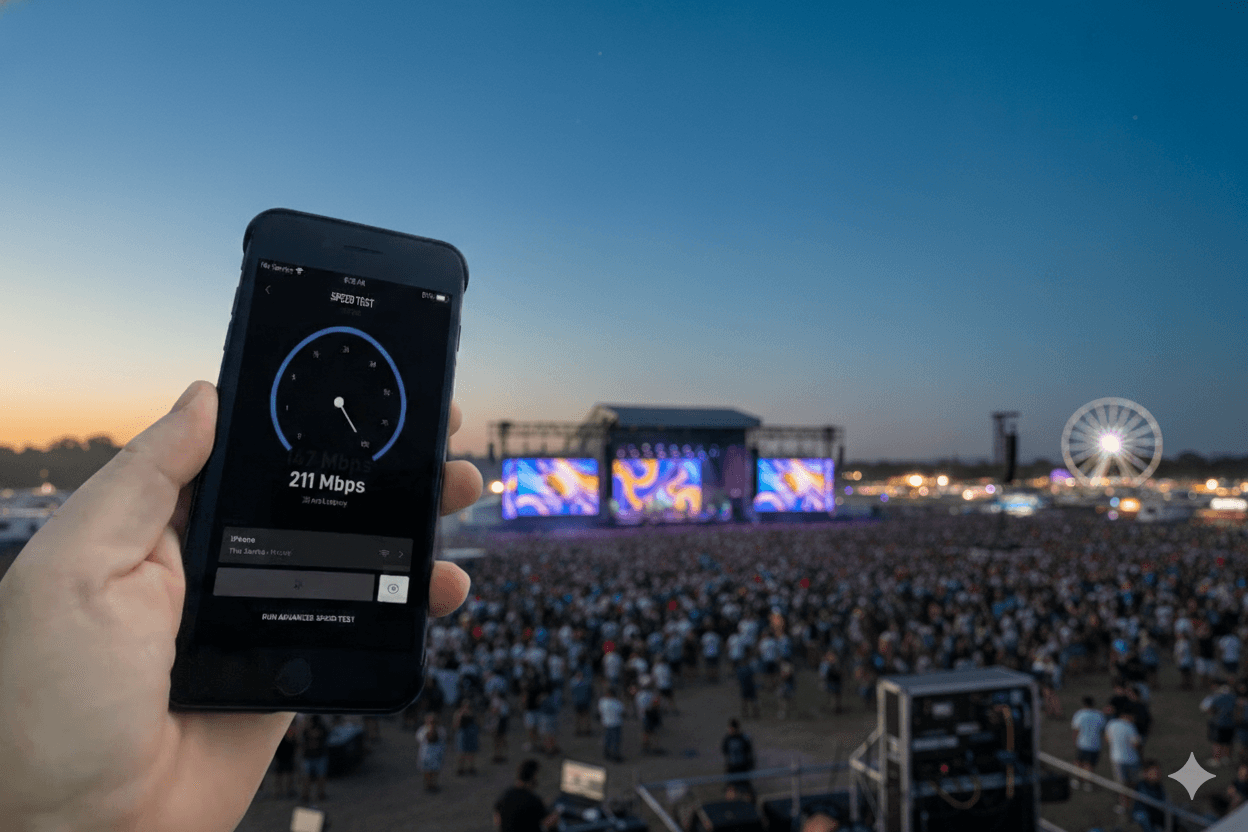
Most of our Starlink rentals go to teams who tried hotel Wi‑Fi or a phone hotspot once and will not risk it again.
Remote speakers over Zoom, hybrid sessions, and stage laptops that need a dedicated uplink instead of venue Wi‑Fi.
Multi-camera OBS streams to YouTube from parks and fields where cellular upload collapses when the crowd arrives.
Registration, lead capture, photo uploads, and point-of-sale that stay online at festivals, fairs, and auto shows.
Dailies, remote monitoring, and crew connectivity on location without waiting on a venue drop.
One kit that travels city to city and is online within minutes of the truck parking.
A second path when the house network is shared, throttled, or simply unknown until load-in.
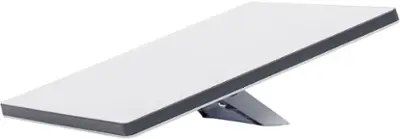
You bring: a weather-protected 120V outlet, a phone with the free Starlink app (no account needed), and a couple of sandbags to weigh the tripod.
Need cellular too? Add a dual-carrier bonded kit for indoor venues or as failover. Compare both kits.
Pricing
Starlink kit
Everything listed at left, priority data included
$350 / week
Round-trip shipping
Continental US, delivered 2–3 business days after signing
Quoted
Additional Starlink kit
Two dishes 100+ feet apart? We'll spec the layout.
Quoted
Bonded cellular kit
Dual-carrier kit for indoor venues with no sky access
Quoted
Redundant Starlink + cellular failover
For streams that cannot drop under any circumstances
Quoted
No staff or setup fees. Quote and contract are sent the same day, and most rentals are confirmed and shipped within 24 hours.
Setup is the easy part
The unit arrives preconfigured. The Starlink app tells you exactly where to point it, and our field guide walks through every step with photos. Here is the whole job:
1. Pick a spot
Firm, level ground with the widest view of open sky. Away from trees, tents, and roof lines.
2. Open the tripod
Spread all three legs, keep it low, drop a sandbag on each leg, and seat the Mini on the ball-joint mount.
3. Plug in
Connect the power cable, route it down the tripod, and plug the supply into a protected outlet. Give it 5–10 minutes to boot.
4. Join the Wi‑Fi
Connect your phone to the printed network name and open the Starlink app. Skip sign-in; no account is needed.
5. Align with the app
Tap Alignment, tilt and rotate the Mini until the indicator sits in the target, tighten the mount. Done.
Stuck on anything? The field guide has a troubleshooting page, and our tech support line answers during setup and show hours.
Event date, city, and what you are streaming or running. Photos of the setup spot help us confirm sky view.
You get a quote, e-sign, and pay online. We ship the next business day.
Tripod, power, join the Wi‑Fi, align with the app. About 10 minutes, and we are on the phone if anything looks off.
Prepaid return label in the case. Drop it off after the event.
No sky access?
Deep inside a convention center or ballroom, bonded cellular is the safer pick, and for streams that cannot drop we pair both. The full comparison, network design, and on-site support options live on the event internet page.
Compare Starlink and bonded cellular kits →Track record
These are the same kits and priority plans we ran across eight Starlinks for SiriusXM at the Army–Navy Game, and for Chevrolet and GMC exhibits at state fairs and auto shows. You get the exact gear, shipped to your door.
Read the Army–Navy connectivity case study →Yes. A 1080p stream needs roughly 5–8 Mbps of upload. Starlink typically delivers well above that with a clear view of the sky, and our rental plans are enterprise-priority, so your traffic is not deprioritized when a crowded venue saturates the network. For broadcast-grade productions we add a second Starlink or a bonded cellular failover.
$350 per week for the complete kit. Round-trip shipping is quoted with your order. Multi-week and multi-kit pricing is available.
Kits ship the next business day after your contract is signed and typically arrive within 2–3 business days. Tell us your setup date and we will build the shipping timeline around it, including a return label for the trip back.
The dish needs a clear view of the sky. A tripod placed outside near a window, on a patio, or on a roof works well, and the included cable run reaches back inside to the router. Heavy tree cover directly overhead causes dropouts, so we will look at photos of your site and tell you honestly whether Starlink or bonded cellular is the safer choice.
Our plans are sized for full-day streaming and all-day operations. There are no per-gigabyte overage charges on a standard event rental. If you are planning a multi-day 24/7 broadcast, mention it and we will confirm the right plan.
No. The kit arrives preconfigured. Open the tripod, seat the Starlink Mini on the mount, plug in power, connect your phone to the printed Wi‑Fi network, and follow the Starlink app’s Alignment tool to point it. Most people are online in about 10 minutes, and our tech support line answers during setup and show hours.
Neither. The free Starlink app’s local setup and alignment tools work without an account, and the unit is preconfigured, so you never sign in or touch settings. Nobody from PivotXP needs to be on site; we support you by phone.
Anywhere in the United States. Recent rentals have gone to San Francisco, Milpitas, Phoenix, Dallas, Baltimore, Nashville, and Detroit. Canadian and international events need a US forwarding address for the kit.
Yes. We regularly ship two- and three-kit orders for multi-zone footprints and pair Starlink with dual-carrier cellular failover when a stream cannot drop for any reason.
Send the date and the city. You will have a quote today and a kit at your door before setup day.